Dhishops – Mini Websites for Social Media Sellers
One PHP Backend, Multiple Independent Shops – Built for Real Sellers in the Maldives
On social media, sellers already add text, pricing, and even multiple products directly onto a single photo. But when they try to move to platforms like Shopify, they’re forced to start from zero — hunting for “clean” photos, recreating descriptions, retyping prices, and filling out dozens of form fields for every product.
Dhishops removes all of that. Sellers can simply drag and drop the same photos they already post on Instagram or Facebook, and the products go live instantly. No forms, no rewriting, no extra work. If they want to refine details later, they can — but they don’t have to.
The result is a mini website that works with their social media workflow instead of against it, making website management almost effortless.
Background
Product: Dhishops – mini websites for social media shops
Role: Product Designer & Developer (solo)
Stack: PHP, HTML/CSS, JSON/CSV storage, Lightbox, basic JS, XAMPP (development)
In the Maldives, many small businesses sell entirely through social media—Instagram, Facebook, Viber, WhatsApp. They post photos, handle DMs, and manually track orders. When they try to “upgrade” to a website, they often hit the same problems:
- High upfront costs for a custom-built site.
- Monthly fees or commissions on every sale.
- Yet another place where they have to recreate all their content.
Dhishops is my attempt to solve that: a simple, focused mini website that lives alongside their social media, with only the features they actually need.
Who Dhishops is For
- Social media sellers who want a clean link in their bio that shows everything in one place.
- Shops tired of replying to “price?” and “what’s available?” messages all day.
- Businesses that don’t want a full ecommerce system—but do want structure, search, and simple checkout.
The philosophy is simple: your story and community stay on social media; Dhishops focuses purely on your products and making it easy for customers to buy.
Why Dhishops?
- Use the same photos you already post on social media: No need to hunt for “clean” product photos with no text. Dhishops is built to accept the exact images sellers already use — captions, prices, and multiple products on one photo included.
- Upload dozens of products instantly: Drag and drop your social-media-ready images, and they appear live on your shop immediately. No product forms, no long setup, no recreating content.
- No more filling 10–20 fields per product: Traditional platforms make you rewrite names, prices, descriptions, variants, tags, SEO fields, and more. Dhishops skips all that — products go live first, details can be added later only if you want to.
- Supports multi-product photos: Many sellers post several items in a single image. Dhishops handles that naturally, letting you add multiple prices or variations to one photo without extra work.
- Easy categories without the headache: Pick the category before uploading. No re-categorizing, no manual cleanup.
- Flexible pricing for real-world selling: You can show prices, hide prices, or mix both. Perfect for sellers who negotiate or adjust pricing frequently.
- Show sold-out items when it helps your business: For bakeries with fast moving daily items, showing sold-out items reduces repetitive “is this available?” messages. Which e-commerce platform allows soldout products to be showcased?
- Descriptions stay optional: If you want to add details, it’s one click away — but Dhishops never forces you to maintain separate, time-consuming product pages.
Architecture Overview – One Codebase, Many Shops
Dhishops is built as a multi-tenant platform: one shared PHP backend, many independent shops living under it. Each shop is just a folder—no duplicated code, no separate hosting setup.
Directory Structure
/dhishops
├─ index.php          ← shared storefront
├─ admin.php          ← admin dashboard
├─ add5.php           ← product manager
├─ view_orders.php    ← order viewer
├─ shop_settings.php  ← branding & settings
├─ login.php / logout.php
├─ products_api.php   ← JSON API for products
├─ categories_api.php ← JSON API for categories
├─ admin/filters.php  ← filters manager (F1–F7)
├─ lib/filters.php    ← shared filter logic
├─ bootstrap.php      ← resolves store slug & paths
├─ io.php             ← per-store JSON helpers
│
├─ papayas/           ← example store slug
│   ├─ products.json
│   ├─ categories.json
│   ├─ admin_auth.json
│   ├─ shop_settings.json
│   ├─ order-log.csv
│   ├─ order-completed.csv
│   ├─ products/      ← product images
│   └─ data/filters_slots.json
│
└─ anotherstore/      ← each new store works the same
Routing & Slugs
A small .htaccess file rewrites URLs like:
/dhishops/papayas/→ sharedindex.phpstorefront/dhishops/papayas/admin→ sharedadmin.phpdashboard/dhishops/papayas/view_orders→ sharedview_orders.php
In bootstrap.php, I extract the {slug} from the URL and define:
STORE_SLUG– the current shop (e.g.papayas)STORE_DIR–/dhishops/papayasAPP_BASE– the shared app root (/dhishops)- Helper functions like
storePath(),slugUrl(),productImgUrl()
All JSON and CSV read/write operations are automatically scoped to the current store, so each shop’s data stays separate and easy to back up.
Storefront – Clean, Simple, Product-First
The storefront (index.php) is shared across all shops. It:
- Loads
shop_settings.jsonfor logo, colours, and admin email. - Loads
products.jsonandcategories.jsonfor the product grid. - Uses a 7-slot filter system (F1–F7) powered by
lib/filters.php. - Displays a responsive product grid with category navigation, search, and filters.
On purpose, there are no blog posts or heavy content sections. Those still live on Instagram or Facebook. Here, the question is: Can a customer find what they want in a few seconds on their phone?
Designed for Your Customers
- Powerful search & filters: Customers narrow down products by brand, size, category, or any seller-defined attribute.
- No account required: Checkout only asks for a name and phone number—perfect for mobile-first shoppers.
- Direct contact: Sellers can still invite customers to message via WhatsApp or Viber for clarifications.
- Descriptions in place: Extra details appear in the same view—no jumping between multiple pages.
Admin Panel – Built for Busy Sellers
The admin side is intentionally minimal. Most sellers are already juggling conversations, baking, packing, or fulfilling orders. The interface has to be obvious at a glance.
Authentication & Per-Store Sessions
- Each store has its own login via
login.php. - Credentials are stored per store in
admin_auth.json. - Sessions are namespaced per store (e.g.
DHI_papayas) so logins don’t clash.
Dashboard
The main dashboard (admin.php) links to:
- Products – via
add5.php - Orders – via
view_orders.php - Filters – via
admin/filters.php - Shop Settings – via
shop_settings.php - View Storefront – opens the live shop in a new tab
Product Management
- Bulk photo uploads: Drag-and-drop dozens of photos via
upload5.php. - Instant products: New images create product entries automatically, with filenames as captions initially.
- Multiple prices per photo: One product can have several price/quantity combinations (for sizes, bundles, etc.).
- Categories: Managed with
categories_api.php,category_rename.php,category_delete.php. - Filters: Managed via
admin/filters.phpand stored indata/filters_slots.json.
Orders & Status Tracking
- Orders are logged as rows in
order-log.csvunder each store. view_orders.phpgroups rows byOrderIDto rebuild the full order view.- Product thumbnails use
productImgUrl(), with Lightbox for full-size images. mark-completed.phptoggles completion and syncs toorder-completed.csv.
Data Formats – Lightweight and Transparent
Products (products.json)
[
  {
    "code": "PP2001",
    "caption": "MacBook Air",
    "desc": "...",
    "category": "Laptops Pro",
    "new": "yes",
    "status": "active",
    "photos": ["PP2001.jpg"],
    "prices": [
      { "name": "Base", "amount": "13500", "quantity": "1" }
    ],
    "filters": { "F1": "Apple", "F2": "16GB", "F3": "1TB" }
  }
]
Categories (categories.json)
["Laptops Students", "Laptops Works", "Laptops Gaming"]
Filter Slots (data/filters_slots.json)
[
  { "key": "F1", "enabled": true, "label": "Brand", "options": ["Apple", "Lenovo"], "allow_new": false },
  { "key": "F2", "enabled": true, "label": "RAM", "options": ["8GB", "16GB"] }
]
Orders (order-log.csv)
OrderID,Date/Time,Status,Name,Phone,Email,Note,Code,Qty,Price,Total
ORD65FF2C4,2025-10-25 11:42:33,NEW,John,9601111,,,"PP2055",1,1399,1399
Email & Messaging Flow
Two endpoints are responsible for communication:
order.php– sends:- An order notification email to the store admin (from
shop_settings.json). - An order confirmation email to the customer (if they provided an email).
- Appends the order to
order-log.csvand shows a confirmation screen (with optional bank details).
- An order notification email to the store admin (from
message.php– handles “Contact Us” and inquiry forms:- Sends messages to the store admin.
- Can set the customer’s email as reply-to so replies go directly to them.
Go Live in Under 1 Hour
One of my most important points was a seller should be able to go from “I want a shop” to “my link is live” in under an hour. By keeping setup to a logo, a few basic settings, and bulk photo upload, that target is realistic for most small shops.
Upgrade to Your Own Domain & Transparent Pricing
Dhishops is designed to start small and grow. Sellers can begin with a shared Dhishops URL and later move to their own .com domain with a branded admin email—without changing how they manage products and orders.
For Maldivian sellers, I kept pricing simple:
- MVR 850 per year for a mini website on Dhishops – no commissions, no hidden fees.
- MVR 1,850 per year for a custom domain with your own branded address.
Instead of large one-off development costs or high monthly subscriptions, sellers get a predictable annual price that matches the scale of their business.
Dhishops in Screenshots
Below are placeholder screenshots – just update the filenames to match your real Dhishops images.
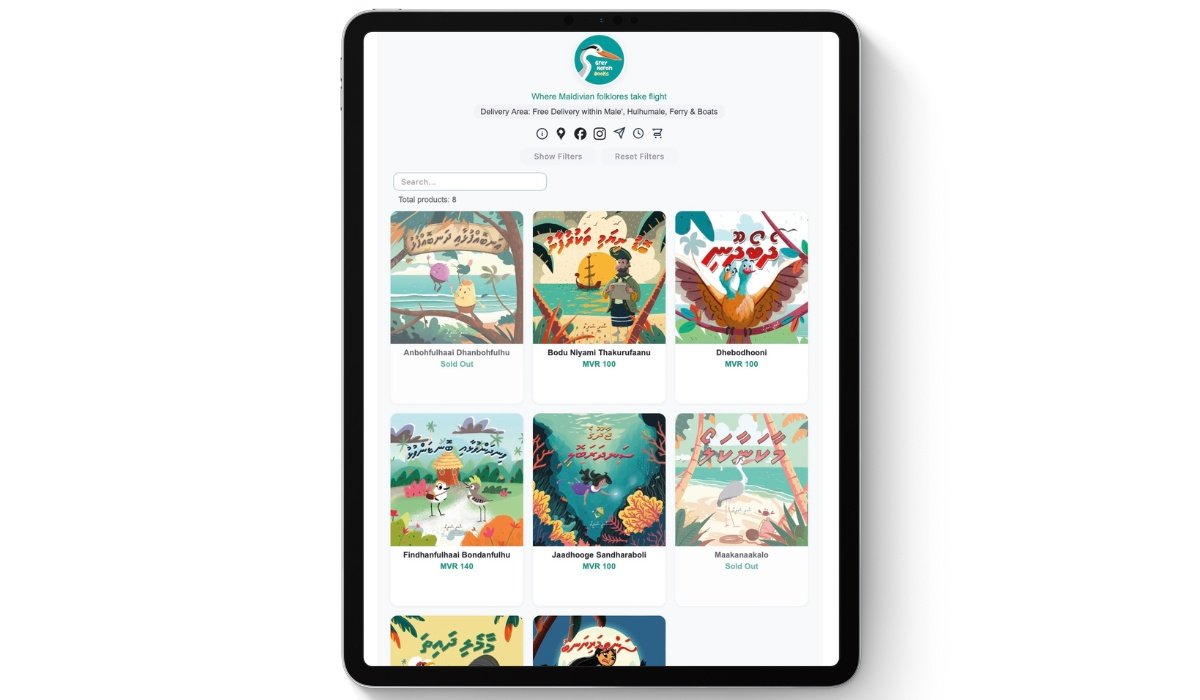
We’ve stripped away all the unnecessary features leaving only what actually matters.
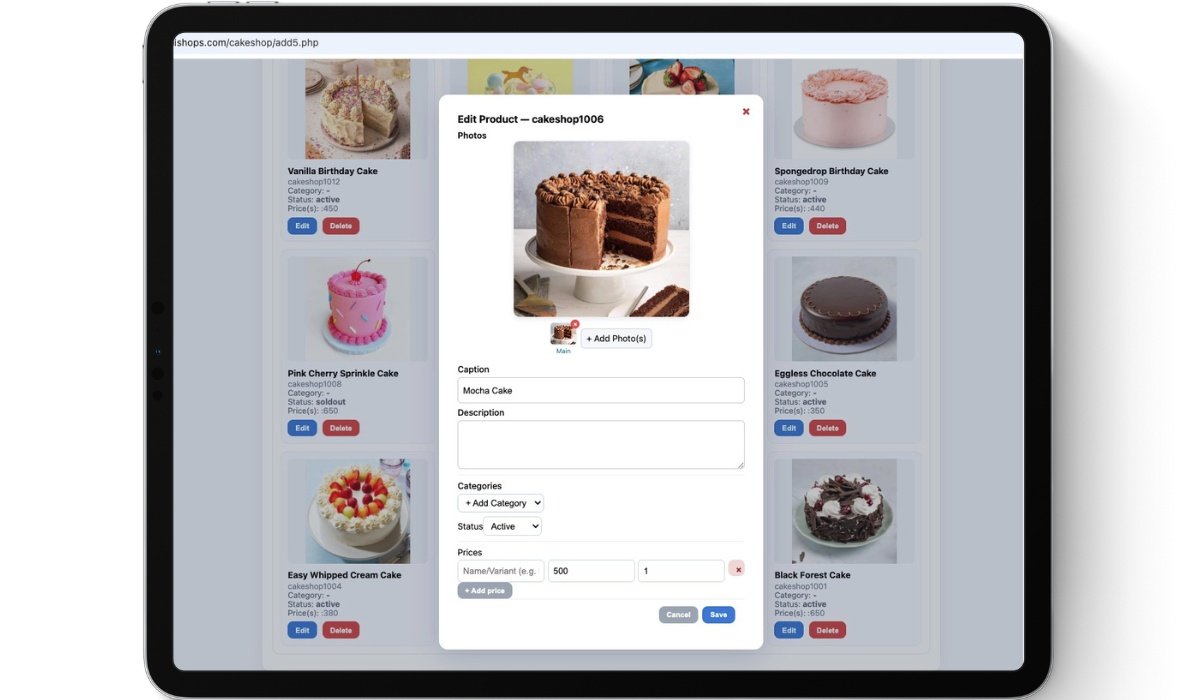
Save Time. Skip the Forms.
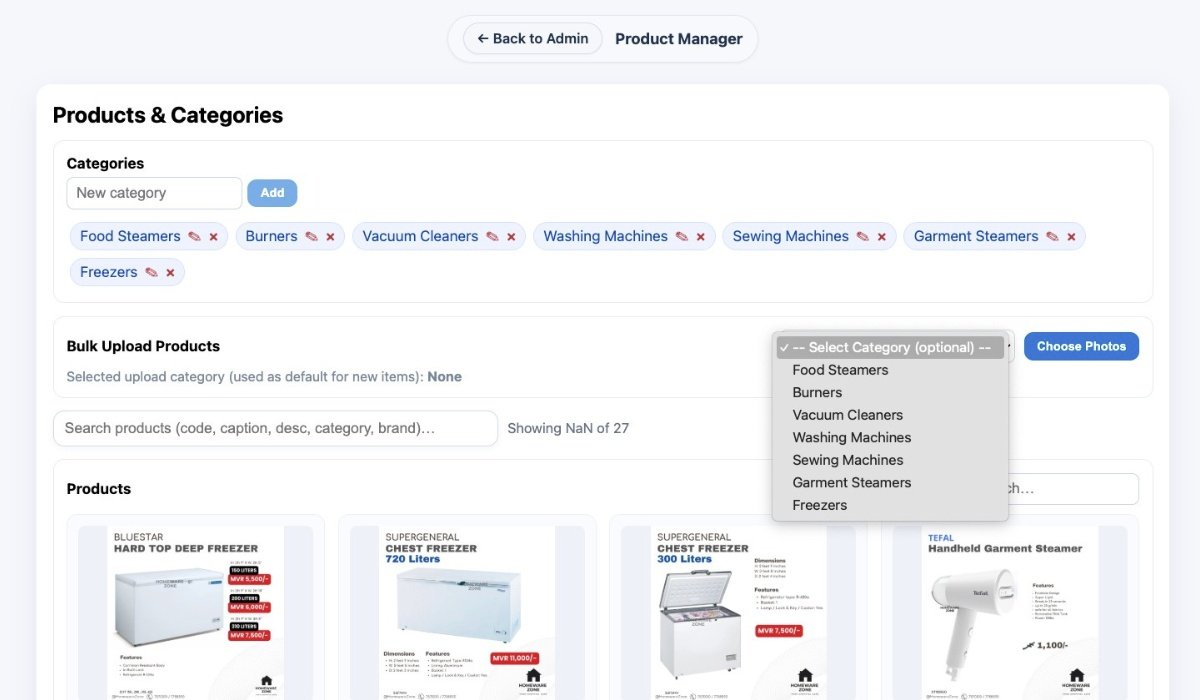
Easy Categories. Smart Filters.
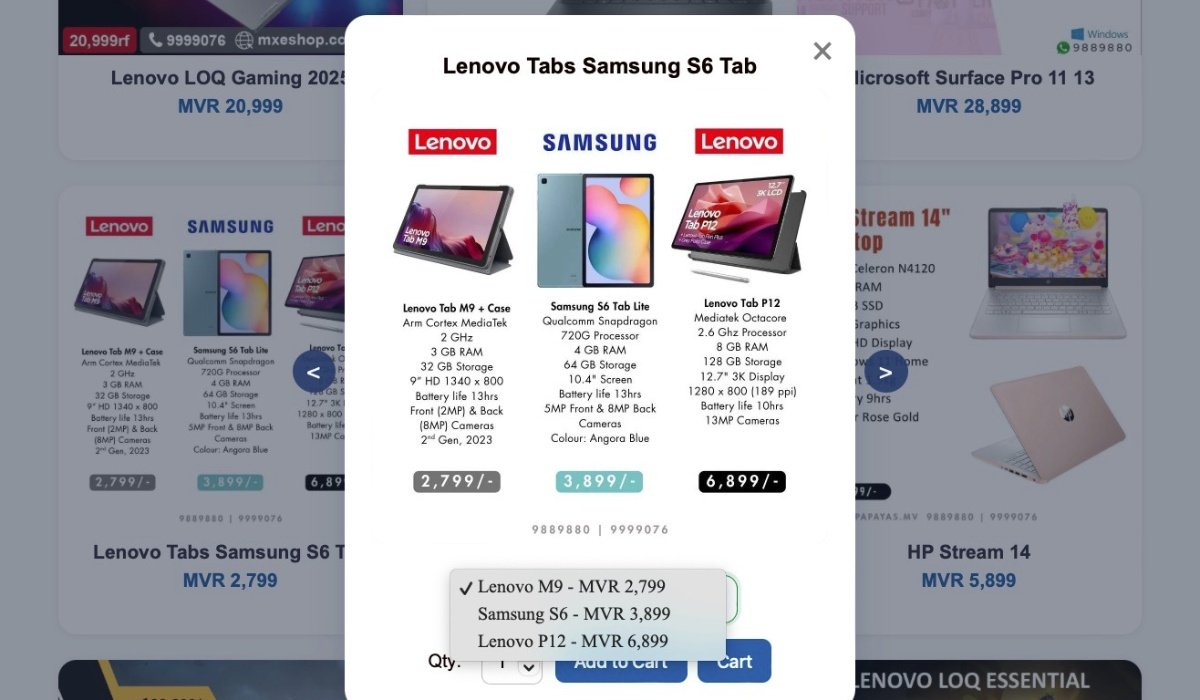
Multiple Products One Photo?
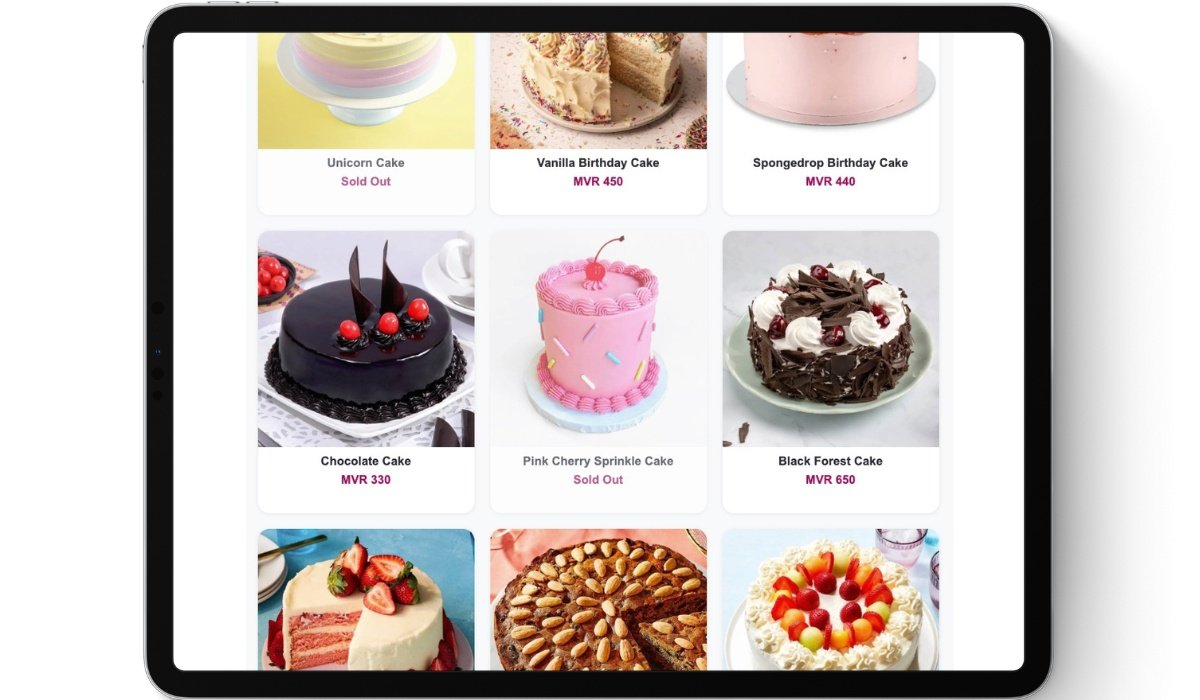
Show Sold-Out Products

No price? No problem.

Designed for Today's Customers
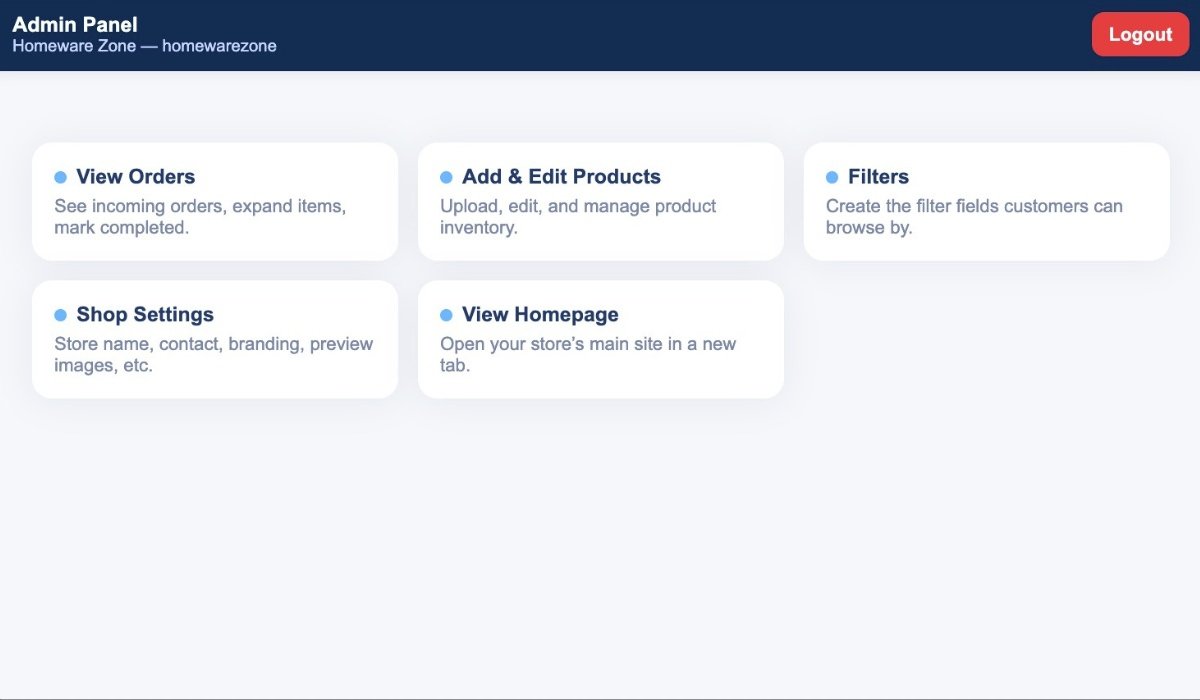
With an Admin Panel we humans can understand.
What I Learned
- Multi-tenant design: How to run multiple shops from a single PHP codebase while keeping data, sessions, and branding isolated.
- Balancing power and simplicity: Building something structured enough for filters and orders, but simple enough for non-technical sellers.
- JSON/CSV as a “database”: Designing read/write helpers and formats that stay robust as shops grow.
- Product thinking: Turning real pain points—fees, complexity, and duplicated effort—into concrete product decisions and pricing.
- End-to-end ownership: From marketing copy and pricing to backend code, admin UX, and storefront design, I handled the full stack.
Final Thoughts
Dhishops came from a very real problem I kept seeing — and experiencing myself:
social media sellers shouldn’t have to rebuild their entire shop from scratch just to have a website.
Most sellers already put so much effort into creating photos with text, prices, and multiple products,
yet traditional platforms force them to start all over again: retype names, rewrite descriptions, upload “clean” photos,
and fill in endless forms.
I wanted to build something that respects how sellers actually work. A system where the photos they already post
on Instagram or Facebook are enough to run a clean, simple mini-website. No duplication, no extra workload,
and no learning curve.
Working on Dhishops made it clear how powerful simplicity can be when it fits the realities of local sellers —
from internet speeds to time constraints to the way product photos are created in the Maldives.
Built with PHP, HTML/CSS, JSON/CSV, Lightbox, and a deep focus on real seller workflows.
Feedback is always welcome.
You can see Dhishops live here: dhishops.com
You can see the live shop of one of the clients using Dhishops template here: homewarezone.com